For more than 3 licenses CALL +1 (800) 657 9614

Kofax Power PDF – Powerful & Secure Kofax PDF Editor for Windows and Mac
Simplify Document Workflows with Kofax Power PDF
Create, edit, convert, share, and e-sign documents with Kofax Power PDF, the trusted Kofax PDF editor used by millions worldwide. Whether you’re an individual or a business, Power PDF gives you complete control over your PDF documents with speed, accuracy, and security.
Download, activate, and start using Kofax software instantly with our secure digital delivery.
DIGITAL DELIVERY
Get instant access to your Kofax PDF download after purchase.
MONEY BACK GUARANTEE
100% risk-free purchase on all Kofax Power PDF downloads.
ONLINE SUPPORT
Free customer support for all Kofax software purchases (Mon–Fri, PDT).
Featured Kofax Software Products
Choose the right Kofax PDF editor for your needs:
Kofax Paperport

Kofax Powerpdf
Kofax Paperport

Kofax Powerpdf
Overview
Trusted by over 15 million users worldwide
Kofax Power PDF is an award-winning Kofax PDF editor designed for professionals who need powerful PDF tools without expensive subscriptions.
With a familiar Office-style interface, Power PDF Kofax software allows you to create, combine, and convert PDFs in minutes. Advanced security, redaction, and compliance features make Kofax Power PDF Advanced ideal for legal, healthcare, and enterprise use.
If you’re looking for a reliable alternative to Adobe, Kofax PDF software delivers professional results at a one-time cost.

Why Choose Kofax Power PDF?
Create PDFs from Word, Excel, PowerPoint, images, and scanners
Convert PDFs to editable Word, Excel, and PowerPoint files
OCR technology to turn scanned files into searchable text
Secure PDFs with passwords, encryption, and permissions
Create, apply, and manage digital signatures
Redact sensitive text and graphics (Power PDF Advanced)
Cloud integration with OneDrive, Google Drive, Dropbox, and Box
Power PDF Advanced includes additional enterprise-level tools like Bates stamping, Active Directory protection, and Kofax SignDoc integration.
Advanced compliance and accessibility features
Kofax PaperPort – Smart Document Management Software for Windows
Kofax PaperPort is a powerful document management solution designed to help users organize, scan, and access documents with ease. As part of the trusted Kofax software family, PaperPort transforms paper documents, scanned files, and PDFs into searchable digital files—saving time and improving productivity.
With Kofax PaperPort Standard and Professional, users can quickly scan documents, convert images into editable text using advanced OCR, and manage files in an intuitive workspace. Whether you’re working from home or managing office documents, PaperPort by Kofax simplifies everyday document handling.
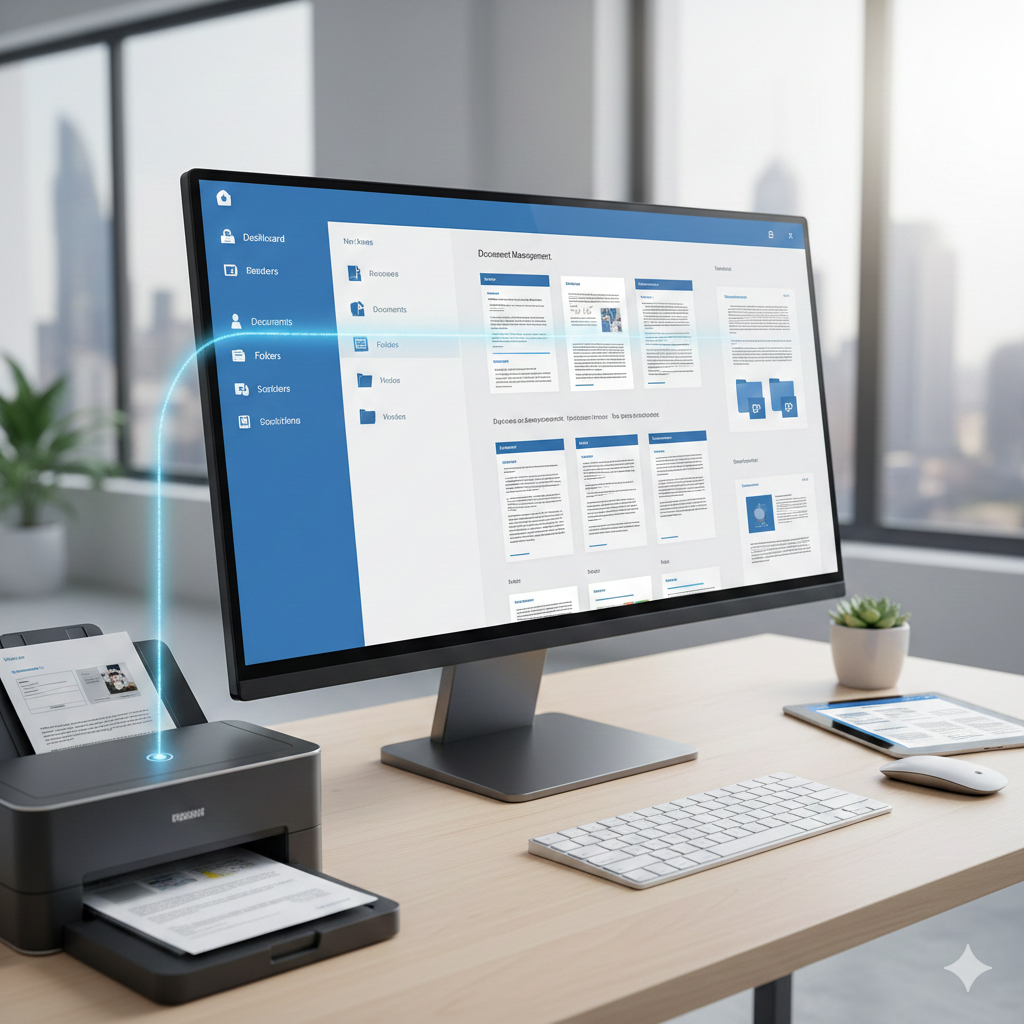
Why Choose Kofax PaperPort?
Scan documents directly from compatible scanners
Convert paper and images into searchable PDFs with OCR
Combine multiple documents into a single PDF
Organize files with folders, tags, and thumbnails
Quickly find documents using keyword search
Seamless integration with popular scanners and printers
Reliable performance backed by trusted Kofax software
Versions Overview
Kofax PaperPort Standard is ideal for home users and small offices looking for an easy-to-use document organization tool.
Kofax PaperPort Professional offers advanced features for business users, including enhanced OCR accuracy, workflow tools, and enterprise-level document management capabilities.
Both versions are available for instant digital download, allowing you to start using Kofax PaperPort within minutes of purchase.
| Highlights | Power PDF Standard | Power PDF Standard for Mac | Power PDF Advanced |
|---|---|---|---|
|
Create PDFs from any document, web page, or directly from your scanner |
|
|
|
|
Merge multiple files into a single PDF |
|
|
|
|
Convert PDF to and from Microsoft Word, Excel, PowerPoint |
|
|
|
|
Automatically convert a PDF file into a fillable PDF form |
|
|
|
|
Proofread and correct text after OCR conversion to searchable PDF |
|
|
|
|
Add secure encrypted passwords and permissions to PDF files |
|
|
|
|
Create and apply self-sign digital signatures |
|
|
|
|
Add, manage, view and navigate document digital signatures |
|
|
|
|
Browser extension for Chrome and Edge to open and create PDFs |
|
|
|
|
Proximal ‘fuzzy search’ to find more results in typos, word orders, etc. |
|
|
|
|
Inspect document to remove comments and private metadata |
|
|
|
|
Mobile solutions to read and annotate PDF, fill out forms, handwrite and sign signatures |
|
|
|
|
Native cloud integration with Microsoft OneDrive, Dropbox, Box and Google Drive cloud storage |
|
|
|
|
Enhanced features for adherence to accessibility standards for people with disabilities |
|
|
|
|
Redact text and graphics from PDF files |
|
|
|
|
Bates stamping with advanced formatting and page positioning |
|
|
|
|
Server add-on for the iManage 10 Web Client |
|
|
|
|
View protected PDF files & apply protection to PDF docs using Microsoft Active Directory or Microsoft Azure Rights Management Services (RMS)
|
|
|
|
|
Enhanced integration with Kofax SignDoc (separate purchase required)
|
|
|
|
OS Compatibility |
Microsoft Windows 8.1, 10, & 11 (32-bit and 64-bit editions) |
MacOS 10.14 through 12 Monterey |
Microsoft Windows 8.1, 10, & 11 (32-bit and 64-bit editions) |
FAQ (Frequently Asked Questions)
1. What is Kofax Power PDF?
Kofax Power PDF is a powerful PDF editor that lets you create, edit, convert, merge, and secure PDF files with ease.
2. Is Kofax Power PDF a one-time purchase?
Yes. Unlike subscription-based tools, Kofax Power PDF offers lifetime access with a single purchase.
3. Does Kofax Power PDF work on Windows 10/11?
Yes, both Standard and Advanced versions support Windows 10 and Windows 11.
4. Can I convert PDFs to Word or Excel?
Absolutely. Power PDF includes high-quality conversion to Word, Excel, PowerPoint, and more.
5. Which version is best for me?
Standard: Great for personal and small business use.
Advanced: Ideal for professionals who need redaction, batch processing, and advanced editing.
6.. Can Kofax PaperPort Standard 14 work with any scanner?
Yes. PaperPort Standard 14 supports most TWAIN- and WIA-compatible scanners, making it easy to scan documents from virtually any home or office device.
7. Does PaperPort Standard 14 allow me to combine multiple documents?
Absolutely. You can merge, stack, split, and reorder pages using simple drag-and-drop tools, making it easy to create organized multi-page PDFs.
8. Can I convert images or scanned files into editable text?
Yes, PaperPort Standard 14 includes built-in OCR technology that converts scanned documents and images into searchable, editable PDF files.
Customer Support You Can Trust
When you purchase Kofax software from us, you’re never alone. Our expert support team is ready to help you install, activate, and use your Kofax PDF editor.
100% Secure Checkout
Tons Of Options 100% Secure Checkout. Shop with confidence with our safe secure SSL certificate and most trusted payment processors in the world
CUSTOMER SUPPORT
You Won't Be Alone We really care about you and your product as much as you do. Purchasing software from us you get 100% free support.
30 Day Money Back Guarantee
Made To Help You We offer 30 Day Money Back Guarantee. If we do not meet your expectations you have the right to cancel the purchase.